Quarterly Calendar for 2027 with Custom Design and Advertising Space 📅
The quarterly calendar for 2027 — Year of the Red Fire Goat — is a time-tested wall accessory that remains relevant even in the era of millions of digital apps and electronic calendars. It not only decorates the office but also serves as a convenient tool for accountants, logisticians, and finance professionals. By displaying three months at once — previous, current, and next — it helps quickly navigate dates, manage reports, plan shipments, and track deadlines. It is also convenient for task planning and long-term projects 🧾.
Order your quarterly calendar with a custom design and your company’s logo today.
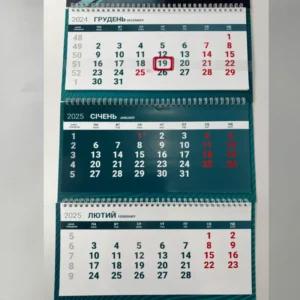
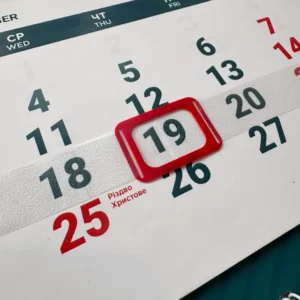
The current date is highlighted with a red window on a transparent strip — clear and easy to see. Calendars can be easily mounted on walls, cabinets, or any vertical surface.
🔶 Quarterly Calendars for Office, Reception, or Production — Perfect Not Only for Accounting!
Quarterly calendars are more than just planners. They are an effective advertising medium:
▪️ Top advertising poster — fully customizable;
▪️ Advertising spaces between calendar blocks — can also be styled in your company’s corporate identity.
Quarterly Calendar Design 2027
📌 If you don’t have a ready design, our professional designers can create a printing design. Collaboration with a designer is by appointment, so allow extra time for layout preparation.
Find out the price of quarterly calendar design now — from standard models to custom layouts for your business.
🧩 Custom Formats to Meet Your Needs
The page features the most popular models: K-1, K-2, K-3, etc. They differ in the number of springs, type of backing, size of advertising areas, and other features.
❗ But we are not limited to standard formats! We can produce a calendar of any design, size, and color according to your technical specifications.
🖨 Calendar Grid:
▪️ Standard (pre-made designs available);
▪️ Custom — fully in your brand style.
🧾 Materials and Printing for Standard Models:
Our quarterly calendar is printed on high-quality coated paper using modern technologies.
▪️ Posters: coated paper 350 g/m²
▪️ Grids: offset or coated paper 130–170 g/m²
▪️ Printing options:
– 4+0 — full color
– 2+0 — two-color (e.g., red + blue)
🔄 Multiple design options can be ordered in a single print run — convenient for companies with multiple departments or brands.
Order a Wall Calendar Starting from Just 1 Copy
🔹 Quarterly calendars can be ordered from just one piece — with custom design, corporate style, and high-quality printing.
🔹 Ideal for personalized gifts, test prints, multiple design options, or small corporate orders.
📎 Quarterly Calendar Construction
We provide full consultation on calendar construction and material selection.
Every quarterly calendar includes all details:
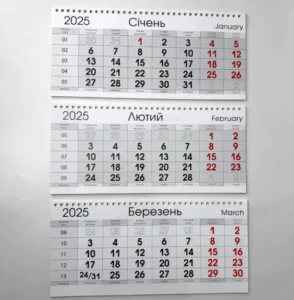
▪️ Calendar Grid — consists of three separate sections: previous, current, and next month.
Grids can be:
- standard design (from available options);
- custom
- with your corporate colors, fonts, logo, or special markings.
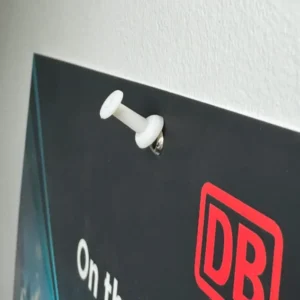
▪️ Grommet — metal ring for mounting the calendar on the wall.
Available options:
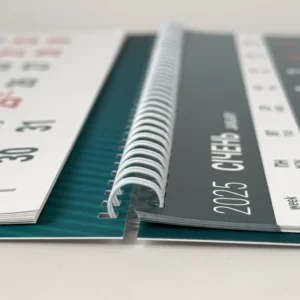
▪️ 3-Spring Quarterly Calendar — metal spring connecting calendar blocks.
Color options:
▪️ Window — transparent movable frame with a red marker indicating the current date.
📦 Production Time and Delivery:
▪️ For orders in Kharkiv and Kyiv: production times depend on volume and workload.
The exact completion date will be provided by the manager after layout approval and payment.
▪️ For orders from other cities: printing is done in Kharkiv and Kyiv, delivery via Nova Poshta.
FAQ — Quarterly Calendars 2027
How much does quarterly calendar design cost?
The cost of design depends on the complexity of the layout and your requirements. We offer both standard ready-made options and custom layouts for your brand. To find out the exact price, send a request by email or use the website chat.
Information for Designers: Technical Requirements for Quarterly Calendar Layouts
🎨 This section is for the designer preparing the layout
Here you will find sizes, technical zones and file requirements for each model. If you don’t have a ready design, there is no need to go into this: our designer will prepare the layout taking all requirements into account.
📥 Download the template for your model
Layered PDF templates in CMYK with sizes, bleed area, safe zone, grommet and spring already marked. They open in CorelDRAW, Adobe Illustrator and Acrobat.
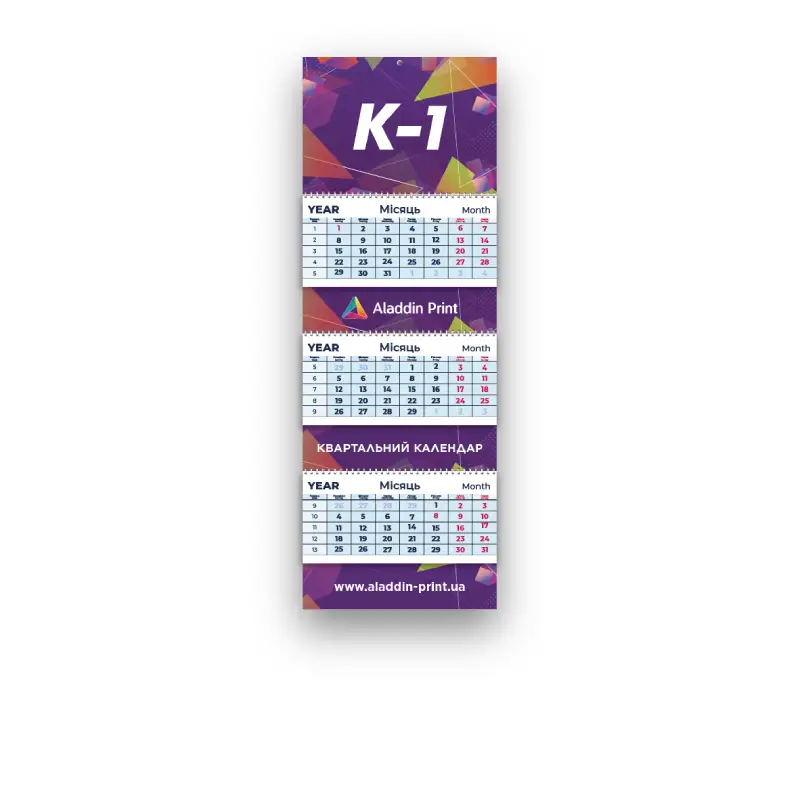
Quarterly Calendar K-1: poster, 3 grids, 3 advertising fields
⬇ Download K-1 template (PDF, 4.5 MB)
1. Layout Sizes
The K-1 calendar consists of an advertising poster, three calendar grids and three advertising fields.
Artboard sizes include a 2 mm bleed on each side of the layout:
- Advertising poster: 301×214 mm, trimmed size 297×210 mm
- Calendar grid: 301×144 mm, trimmed size 297×140 mm
- Three advertising fields: 301×214 mm each, trimmed size 297×210 mm
2. Design Requirements
Advertising poster
- create the layout in the color model CMYK
- layout size 301×214 mm
- technical zone 20 mm at the top and bottom with no text or logos: the wall-mounting grommet goes at the top and the spring holes at the bottom
- no text or important elements on the left and right, only background for safe trimming
- minimum font size: 7–8 pt
Advertising fields (3 pcs)
- create the layout in the color model CMYK
- layout size 301×214 mm, but after assembly only the bottom ~70 mm is visible, as the top is covered by the calendar grid
- place the logo, contacts, slogan and other key elements within these 70 mm
- the bottom 12 mm of the visible area is a technical zone for the spring, background only
How to save the poster and advertising fields for print
- Convert fonts to curves, embed all images, rasterize gradients and transparencies at 300 DPI
- Arrange the layouts in order: advertising poster, first, second and third advertising field
- Save as a single file in PDF
Calendar grid
Standard grid is already printed and ready for calendar assembly. Available in three colors: white, light blue and grey. You can choose it during a consultation with the manager.
Custom grid is created by you. When designing it, keep in mind:
- create the layout in the color model CMYK
- layout size 301×144 mm
- technical zone 20 mm at the top with no text or logos: the spring holes go there
- safe zone of 5 mm on the left, right and bottom: background only, no text or logos
- minimum font size: 7–8 pt
- a clear structure of twelve months; be sure to add December of the outgoing year
- you can mark holidays: official ones and your corporate dates
How to save the grid for print
- Convert fonts to curves, embed all images, rasterize gradients and transparencies at 300 DPI
- Save as PDF: December of the outgoing year first, followed by the 12 months of the next year. A quarterly calendar shows three months at once: previous, current and next
3. Print Materials
- Advertising poster and advertising fields: coated paper 350 g/m²
- Calendar grids: offset paper 80 g/m² or coated paper 130–150 g/m²
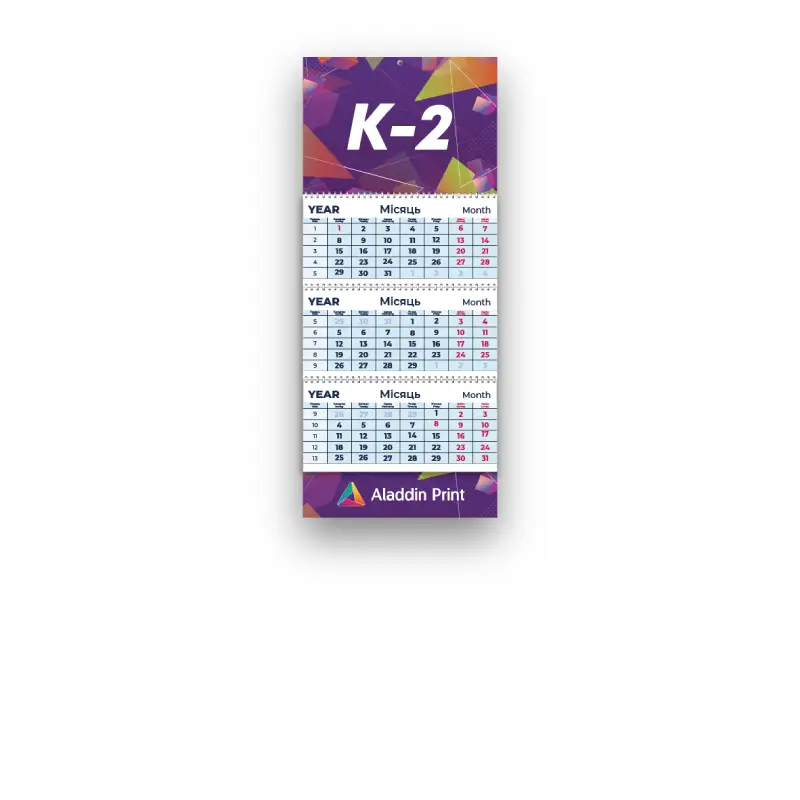
Quarterly Calendar K-2: poster, 3 grids, 1 advertising field
⬇ Download K-2 template (PDF, 2.7 MB)
1. Layout Sizes
The K-2 calendar consists of an advertising poster, three calendar grids and one advertising field at the bottom.
Artboard sizes include a 2 mm bleed on each side of the layout:
- Advertising poster: 301×214 mm, trimmed size 297×210 mm
- Calendar grid: 301×144 mm, trimmed size 297×140 mm
- Advertising field: 301×214 mm, trimmed size 297×210 mm
2. Design Requirements
Advertising poster
- create the layout in the color model CMYK
- layout size 301×214 mm
- technical zone 20 mm at the top and bottom with no text or logos: the wall-mounting grommet goes at the top and the spring holes at the bottom
- no text or important elements on the left and right, only background for safe trimming
- minimum font size: 7–8 pt
Advertising field (1 pc, at the bottom of the calendar)
- create the layout in the color model CMYK
- layout size 301×214 mm, but after assembly only the bottom ~70 mm is visible, as the top is covered by the calendar grid
- place the logo, contacts, slogan and other key elements within these 70 mm
- keep 5 mm on the left, right and bottom as background only for safe trimming
How to save the poster and advertising field for print
- Convert fonts to curves, embed all images, rasterize gradients and transparencies at 300 DPI
- Arrange the layouts in order: advertising poster, advertising field
- Save as a single file in PDF
Calendar grid
Standard grid is already printed and ready for calendar assembly. Available in three colors: white, light blue and grey. You can choose it during a consultation with the manager.
Custom grid is created by you. When designing it, keep in mind:
- create the layout in the color model CMYK
- layout size 301×144 mm
- technical zone 20 mm at the top with no text or logos: the spring holes go there
- safe zone of 5 mm on the left, right and bottom: background only, no text or logos
- minimum font size: 7–8 pt
- a clear structure of twelve months; be sure to add December of the outgoing year
- you can mark holidays: official ones and your corporate dates
How to save the grid for print
- Convert fonts to curves, embed all images, rasterize gradients and transparencies at 300 DPI
- Save as PDF: December of the outgoing year first, followed by the 12 months of the next year. A quarterly calendar shows three months at once: previous, current and next
3. Print Materials
- Advertising poster and advertising field: coated paper 350 g/m²
- Calendar grids: offset paper 80 g/m² or coated paper 130–150 g/m²
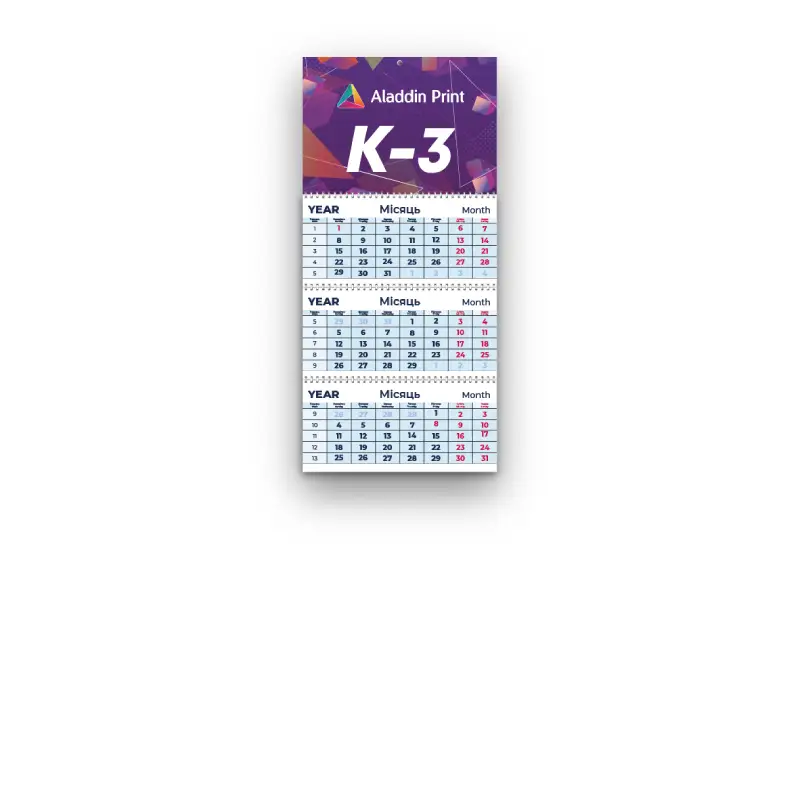
Quarterly Calendar K-3: poster, 3 grids
⬇ Download K-3 template (PDF, 1.9 MB)
1. Layout Sizes
The K-3 calendar consists of an advertising poster and three calendar grids.
Artboard sizes include a 2 mm bleed on each side of the layout:
- Advertising poster: 301×214 mm, trimmed size 297×210 mm
- Calendar grid: 301×144 mm, trimmed size 297×140 mm
2. Design Requirements
Advertising poster
- create the layout in the color model CMYK
- layout size 301×214 mm
- technical zone 20 mm at the top and bottom with no text or logos: the wall-mounting grommet goes at the top and the spring holes at the bottom
- no text or important elements on the left and right, only background for safe trimming
- minimum font size: 7–8 pt
How to save the poster for print
- Convert fonts to curves, embed all images, rasterize gradients and transparencies at 300 DPI
- Save as a single file in PDF
Calendar grid
Standard grid is already printed and ready for calendar assembly. Available in three colors: white, light blue and grey. You can choose it during a consultation with the manager.
Custom grid is created by you. When designing it, keep in mind:
- create the layout in the color model CMYK
- layout size 301×144 mm
- technical zone 20 mm at the top with no text or logos: the spring holes go there
- safe zone of 5 mm on the left, right and bottom: background only, no text or logos
- minimum font size: 7–8 pt
- a clear structure of twelve months; be sure to add December of the outgoing year
- you can mark holidays: official ones and your corporate dates
How to save the grid for print
- Convert fonts to curves, embed all images, rasterize gradients and transparencies at 300 DPI
- Save as PDF: December of the outgoing year first, followed by the 12 months of the next year. A quarterly calendar shows three months at once: previous, current and next
3. Print Materials
- Advertising poster: coated paper 350 g/m²
- Calendar grids: offset paper 80 g/m² or coated paper 130–150 g/m²
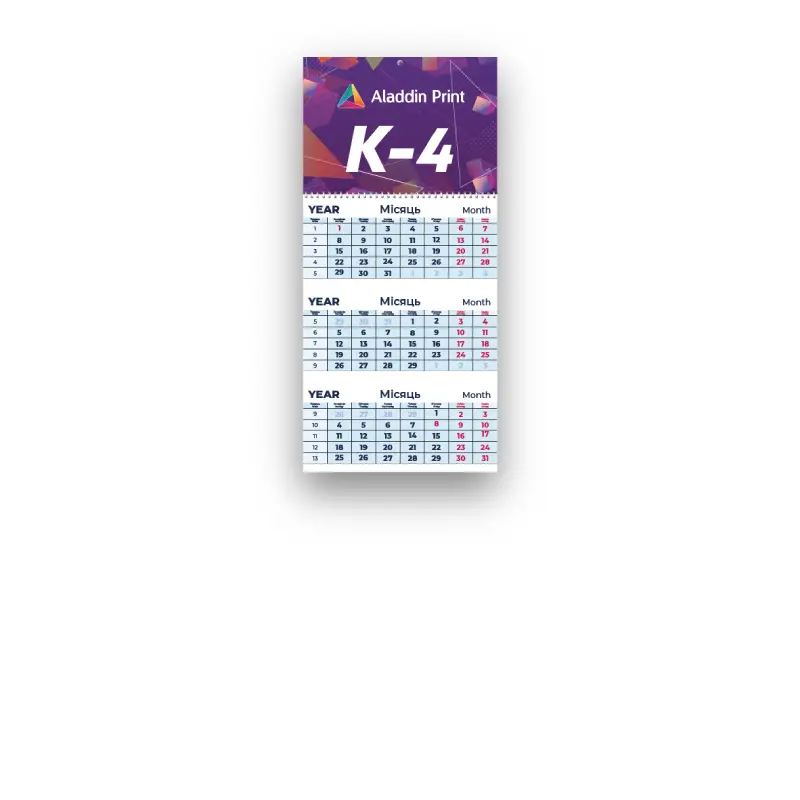
Quarterly Calendar K-4: poster, 3-month grid on a single sheet
⬇ Download K-4 template (PDF, 1.9 MB)
1. Layout Sizes
The K-4 calendar consists of an advertising poster and a calendar grid with three months on one shared page.
Artboard sizes include a 2 mm bleed on each side of the layout:
- Advertising poster: 301×214 mm, trimmed size 297×210 mm
- Calendar grid: 301×424 mm, trimmed size 297×420 mm
2. Design Requirements
Advertising poster
- create the layout in the color model CMYK
- layout size 301×214 mm
- technical zone 20 mm at the top and bottom with no text or logos: the wall-mounting grommet goes at the top and the spring holes at the bottom
- no text or important elements on the left and right, only background for safe trimming
- minimum font size: 7–8 pt
How to save the poster for print
- Convert fonts to curves, embed all images, rasterize gradients and transparencies at 300 DPI
- Save as a single file in PDF
Calendar grid
Standard grid is already printed and ready for calendar assembly. Available in three colors: white, light blue and grey. You can choose it during a consultation with the manager.
Custom grid is created by you. When designing it, keep in mind:
- create the layout in the color model CMYK
- layout size 301×424 mm
- technical zone 20 mm at the top with no text or logos: the spring holes go there
- safe zone of 5 mm on the left, right and bottom: background only, no text or logos
- minimum font size: 7–8 pt
- a clear structure of twelve months; be sure to add December of the outgoing year
- you can mark holidays: official ones and your corporate dates
How to save the grid for print
- Convert fonts to curves, embed all images, rasterize gradients and transparencies at 300 DPI
- Save as PDF: December of the outgoing year first, followed by the 12 months of the next year. A quarterly calendar shows three months at once: previous, current and next
3. Print Materials
- Advertising poster: coated paper 350 g/m²
- Calendar grids: offset paper 80 g/m² or coated paper 130–150 g/m²
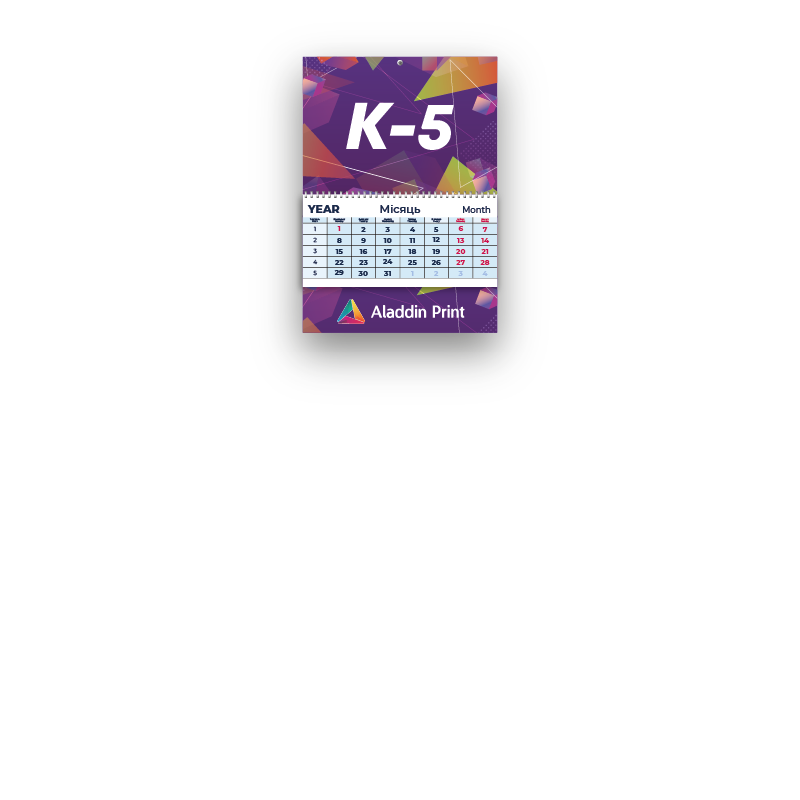
Quarterly Calendar K-5: poster, 1 grid block, 1 advertising field
⬇ Download K-5 template (PDF, 2.0 MB)
1. Layout Sizes
The K-5 calendar consists of an advertising poster, one calendar grid block and one advertising field at the bottom.
Artboard sizes include a 2 mm bleed on each side of the layout:
- Advertising poster: 301×214 mm, trimmed size 297×210 mm
- Calendar grid: 301×144 mm, trimmed size 297×140 mm
- Advertising field: 301×214 mm, trimmed size 297×210 mm
2. Design Requirements
Advertising poster
- create the layout in the color model CMYK
- layout size 301×214 mm
- technical zone 20 mm at the top and bottom with no text or logos: the wall-mounting grommet goes at the top and the spring holes at the bottom
- no text or important elements on the left and right, only background for safe trimming
- minimum font size: 7–8 pt
Advertising field (1 pc, at the bottom of the calendar)
- create the layout in the color model CMYK
- layout size 301×214 mm, but after assembly only the bottom ~70 mm is visible, as the top is covered by the calendar grid
- place the logo, contacts, slogan and other key elements within these 70 mm
- keep 5 mm on the left, right and bottom as background only for safe trimming
How to save the poster and advertising field for print
- Convert fonts to curves, embed all images, rasterize gradients and transparencies at 300 DPI
- Arrange the layouts in order: advertising poster, advertising field
- Save as a single file in PDF
Calendar grid
Standard grid is already printed and ready for calendar assembly. Available in three colors: white, light blue and grey. You can choose it during a consultation with the manager.
Custom grid is created by you. When designing it, keep in mind:
- create the layout in the color model CMYK
- layout size 301×144 mm
- technical zone 20 mm at the top with no text or logos: the spring holes go there
- safe zone of 5 mm on the left, right and bottom: background only, no text or logos
- minimum font size: 7–8 pt
- a clear structure of twelve months
- you can mark holidays: official ones and your corporate dates
How to save the grid for print
- Convert fonts to curves, embed all images, rasterize gradients and transparencies at 300 DPI
- Save the 12 months of the next year as PDF in the correct order
3. Print Materials
- Advertising poster and advertising field: coated paper 350 g/m²
- Calendar grids: offset paper 80 g/m² or coated paper 130–150 g/m²
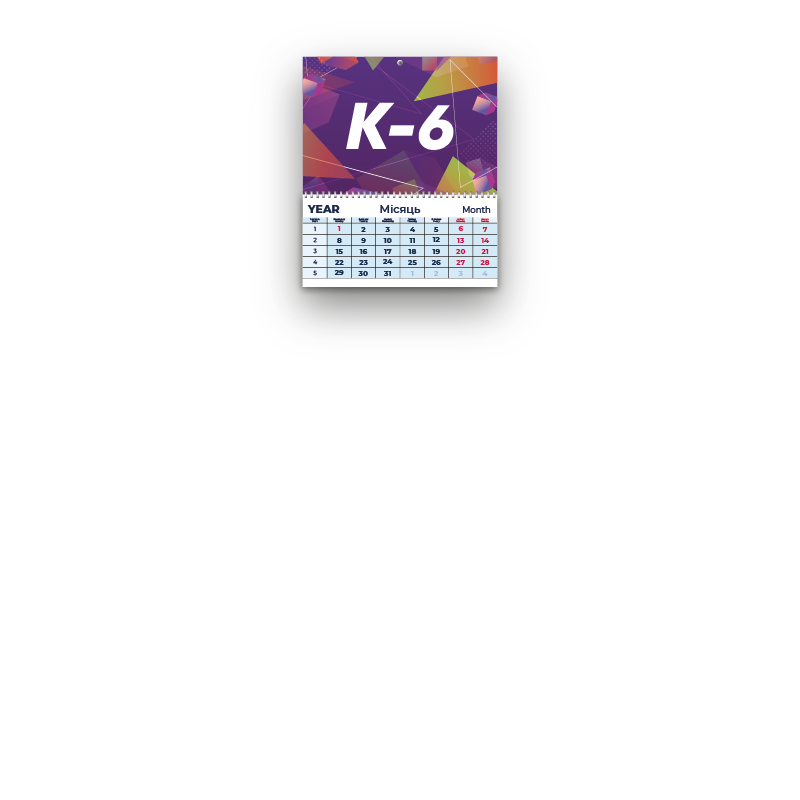
Quarterly Calendar K-6: poster, 1 grid block
⬇ Download K-6 template (PDF, 1.9 MB)
1. Layout Sizes
The K-6 calendar consists of an advertising poster and one calendar grid block.
Artboard sizes include a 2 mm bleed on each side of the layout:
- Advertising poster: 301×214 mm, trimmed size 297×210 mm
- Calendar grid: 301×144 mm, trimmed size 297×140 mm
2. Design Requirements
Advertising poster
- create the layout in the color model CMYK
- layout size 301×214 mm
- technical zone 20 mm at the top and bottom with no text or logos: the wall-mounting grommet goes at the top and the spring holes at the bottom
- no text or important elements on the left and right, only background for safe trimming
- minimum font size: 7–8 pt
How to save the poster for print
- Convert fonts to curves, embed all images, rasterize gradients and transparencies at 300 DPI
- Save as a single file in PDF
Calendar grid
Standard grid is already printed and ready for calendar assembly. Available in three colors: white, light blue and grey. You can choose it during a consultation with the manager.
Custom grid is created by you. When designing it, keep in mind:
- create the layout in the color model CMYK
- layout size 301×144 mm
- technical zone 20 mm at the top with no text or logos: the spring holes go there
- safe zone of 5 mm on the left, right and bottom: background only, no text or logos
- minimum font size: 7–8 pt
- a clear structure of twelve months
- you can mark holidays: official ones and your corporate dates
How to save the grid for print
- Convert fonts to curves, embed all images, rasterize gradients and transparencies at 300 DPI
- Save the 12 months of the next year as PDF in the correct order
3. Print Materials
- Advertising poster: coated paper 350 g/m²
- Calendar grids: offset paper 80 g/m² or coated paper 130–150 g/m²
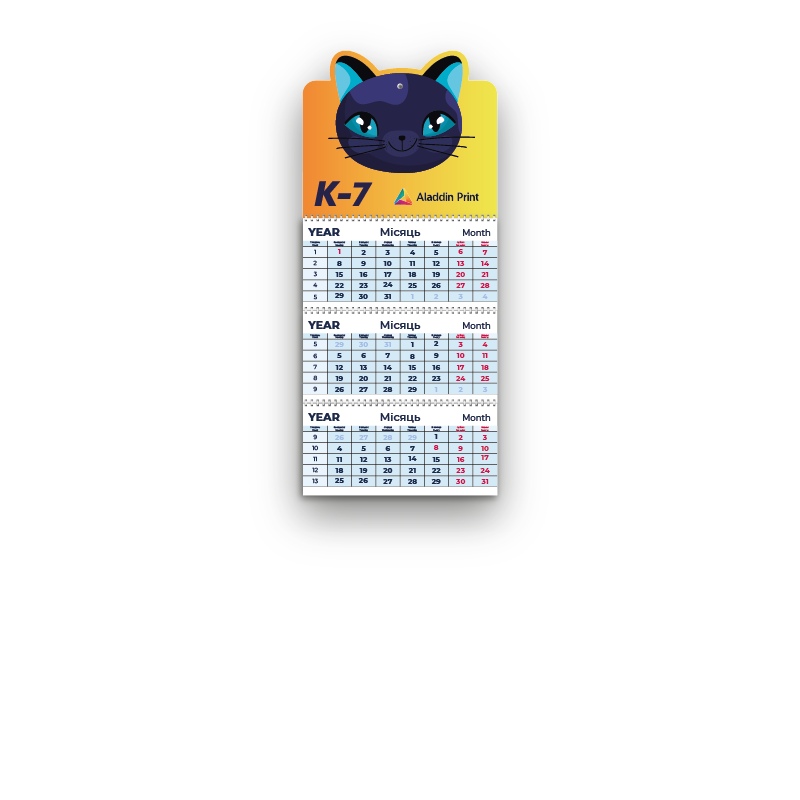
Quarterly Calendar K-7: die-cut poster up to 310×440 mm, 3 grids
1. Layout Sizes
The K-7 calendar consists of an advertising poster and three calendar grids.
Sizes include a 2 mm bleed on each side of the layout:
- Advertising poster: from 301×214 mm to 310×440 mm
- Calendar grid: the width matches the advertising poster; the height can stay at 140 mm or be customized to suit your design
2. Design Requirements
Advertising poster
- create the layout in the color model CMYK
- layout size from 301×214 mm to 310×440 mm
- technical zone 20 mm at the top and bottom with no text or logos: the wall-mounting grommet goes at the top and the spring holes at the bottom
- no text or important elements on the left and right, only background for safe trimming
- the vector die-cut line for the poster must be saved as a separate layer and labeled in the layout layers
- minimum font size: 7–8 pt
How to save the poster for print
- Convert fonts to curves, embed all images, rasterize gradients and transparencies at 300 DPI
- Save as a single file in PDF
Calendar grid
Custom grid is created by you. When designing it, keep in mind:
- create the layout in the color model CMYK
- layout size up to 310×440 mm
- technical zone 20 mm at the top with no text or logos: the spring holes go there
- safe zone of 5 mm on the left, right and bottom: background only, no text or logos
- minimum font size: 7–8 pt
- a clear structure of twelve months; be sure to add December of the outgoing year
- you can mark holidays: official ones and your corporate dates
How to save the grid for print
- Convert fonts to curves, embed all images, rasterize gradients and transparencies at 300 DPI
- Save as PDF: December of the outgoing year first, followed by the 12 months of the next year. A quarterly calendar shows three months at once: previous, current and next
3. Print Materials
- Advertising poster: coated paper 350 g/m²
- Calendar grids: offset paper 80 g/m² or coated paper 130–150 g/m²
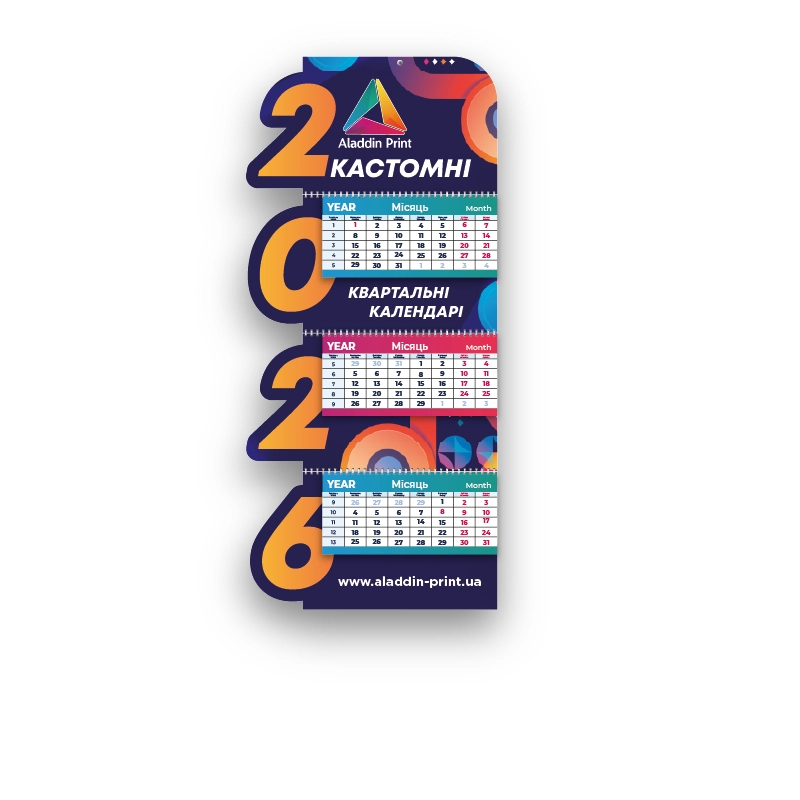
Quarterly Calendar K-8: fully custom calendar
K-8 is a fully custom calendar, so there are no fixed technical requirements for it. Be sure to consult the manager before creating the layout: discuss your idea in advance to make sure it can be produced before you start designing.
Quarterly calendar for 2027 — how to order?
Place an order✨ Quality printing to help your business grow!